Introduction
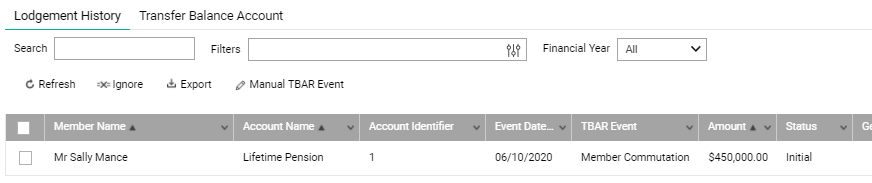
This page explains the scenarios and actions required to create a TBAR (Transfer Balance Account Reporting) record for the commutation of a complying pension.
| Complying Pension Type | Full Commutation | Partial Commutation |
| Lifetime Pension (SISR 1.06(2)) |
Class automates the TBAR record generation using the Special Value recorded in Class; If the Special Value is not recorded in Class, the user can enter this value as part of the pension commutation event. This value will be used to generate the Transfer Balance Account Debits to be reported to the ATO. |
Process Manual TBAR event |
| Life Expectancy Pension (SISR 1.06(7)) | Process Manual TBAR event | Process Manual TBAR event |
When processing a pension commutation event, if the pension is a complying pension and the Payment Amount is full, you are required to set both Pension Type and TBAR Special Value for TBAR purpose.
If the pension type is 'Lifetime' pension and is a pre-existing account on Class as at 30 June 2017, Class will pre-fill the TBAR special value with the amount recorded as part of the Pension Establishment detail screen, which was the pension's opening value reported for the member's Transfer Balance Account reporting as at 30 June 2017. You may override this value if required.
If the special value is not captured in Class, you can enter the TBAR Special Value for the complying pension which will be the amount used to create the Transfer Balance Account Credit previously.
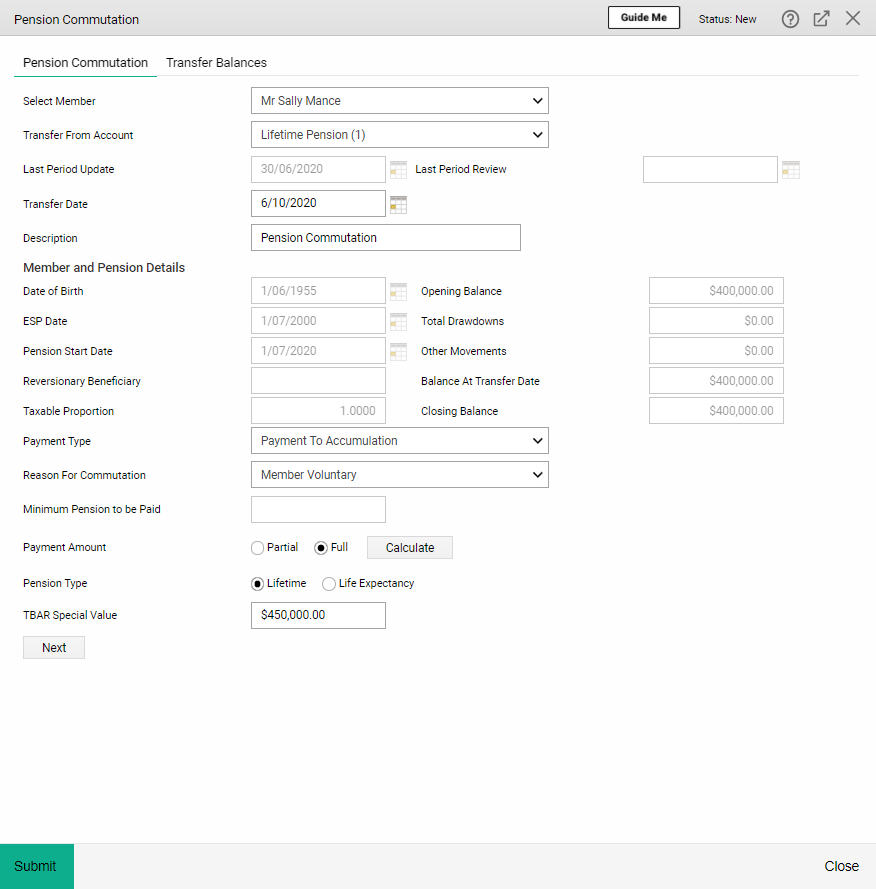
Class will automatically create the Transfer Balance Account Debit value for the pension commutation event.