On the Signature tracking console we have added an option to Edit envelope on Failed and Pending filters.
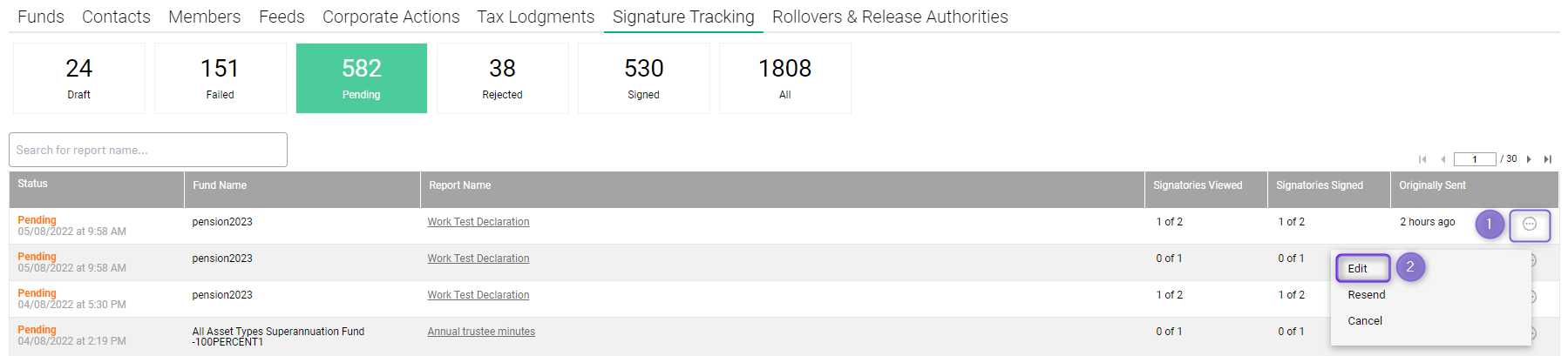
Navigate to Business level > Signature Tracking Console
- Click on the menu icon
 next to the envelope
 - Once click on Edit button you will be directed to DocuSign platform by clicking on the Continue button
- The correction page on DocuSign page will be displayed to update recipients' information and click on the Next button to continue the workflow.
- You will be requested to add the sign tag into the documentation by clicking on the Signature tab.
- The workflow on the DocuSign platform will be finished by clicking on the CORRECT button as per the above screenshot. And the user will be directed to Class Envelope page automatically.
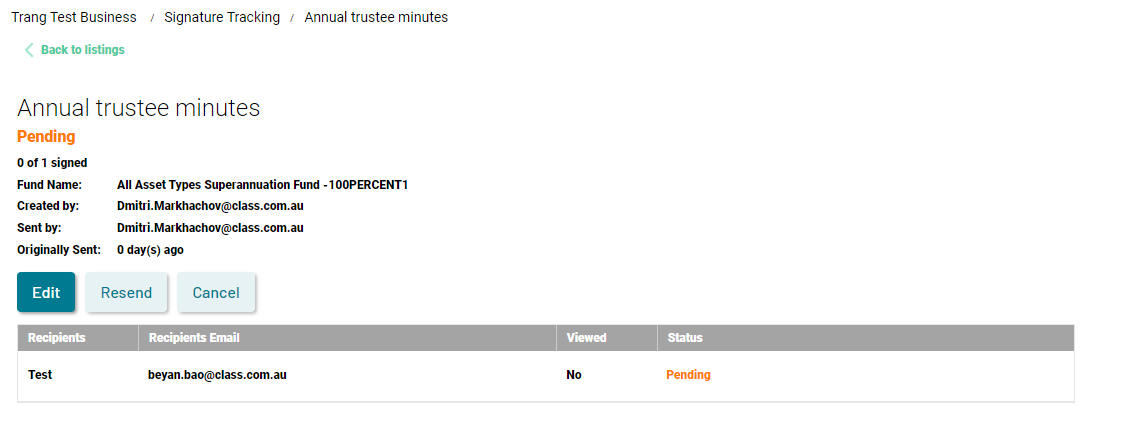
You can also access the Edit button via the related envelope page on Class. The workflow will be the same as mentioned above.