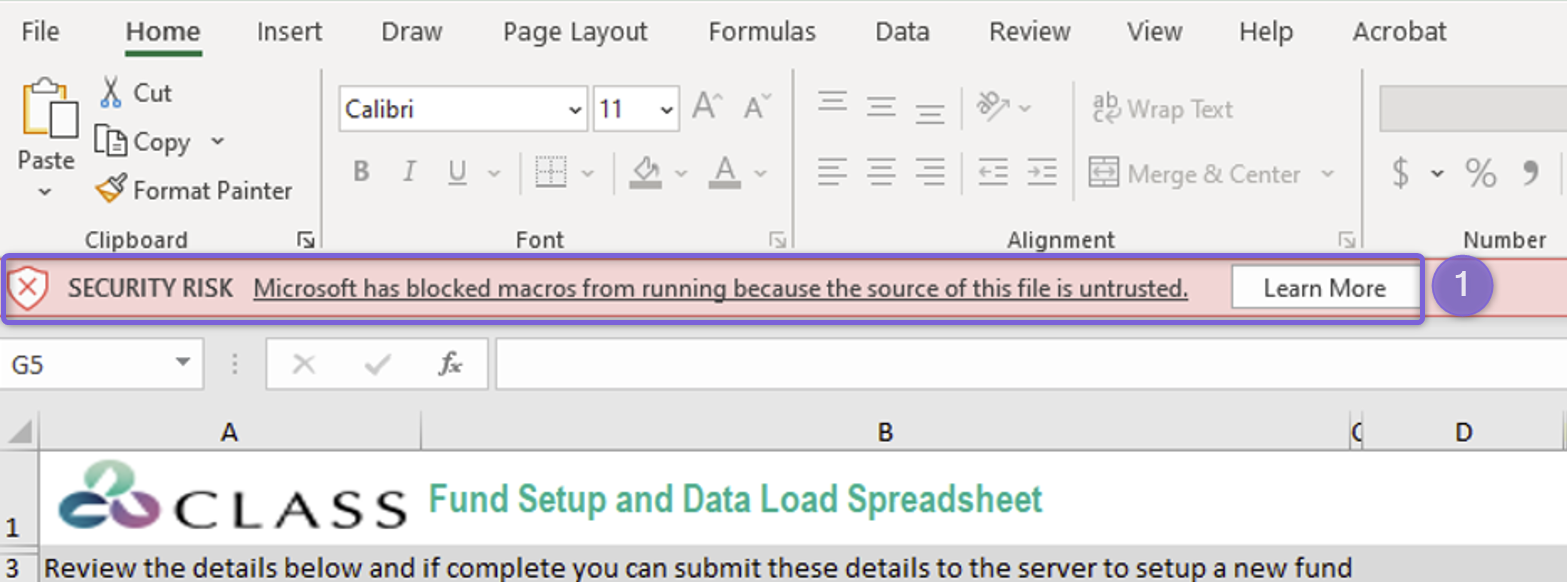
Issue
We recently let you know that we have changed the way you authenticate to Class, to remove the Internet Explorer dependency, as Microsoft has now retired Internet Explorer. You can read more about this change here if you missed our previous release notes.
Microsoft further announced changes to their default behaviour of macros in Office. Now blocking macros by default for files downloaded from the Internet. Feel free to read more about this change on Microsoft’s site. Refer to point 7 - macros now blocked by default for most Office documents downloaded from the web.
Class have digitally signed our Excel based loaders, so that Microsoft will not block our macros from running. See point 3 in above article. This means that they should continue to work as currently.
If you are experiencing any issues with macros not being enabled, it may be due to restrictive security policies set by your IT department / IT provider. Provide your IT provider with this link on how to configure security policies to allow running macros in Office files from the internet. We recommend they use the “Macro Notification Settings” policy for Excel only to ensure you can continue to use the signed Excel loaders.
Make sure you download the latest version of our Excel fund loader and Excel transaction loader in order for this to work. Older versions of the loaders may no longer work due to Internet Explorer retirement and will get blocked due to not being digitally signed.
Resolution
The current default Microsoft Office behaviour is to block all macros.
- If you get following security error when running latest version of Excel Loaders:
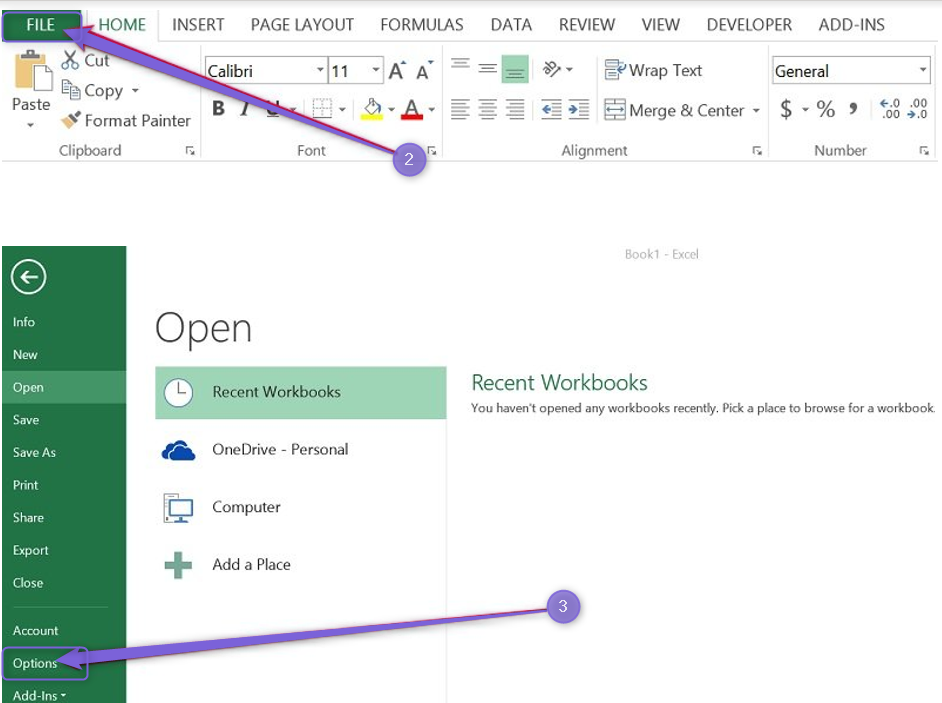
- Click File
- Then select Options
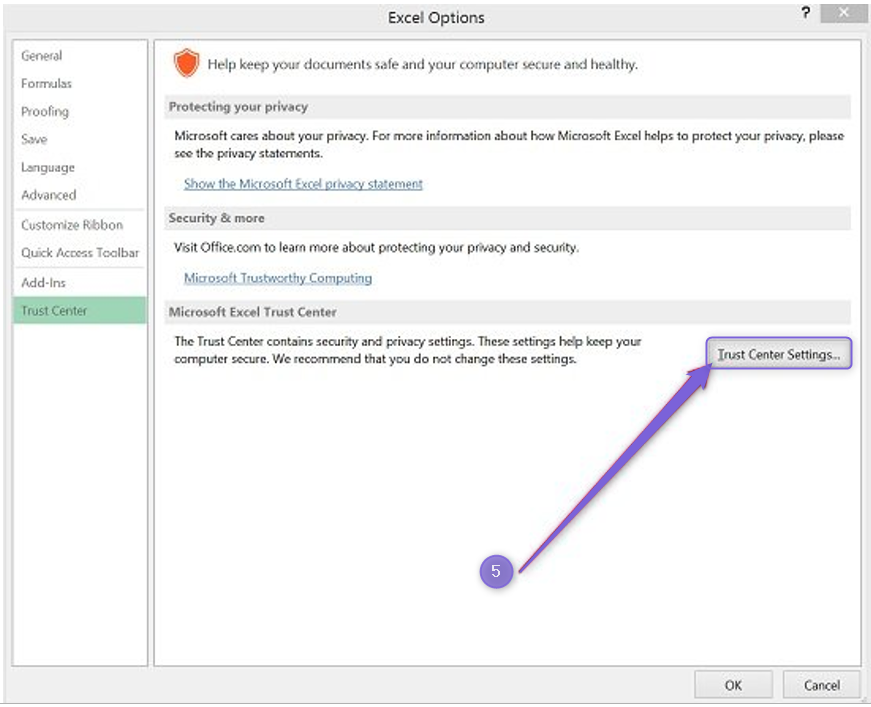
- Select Trust Center
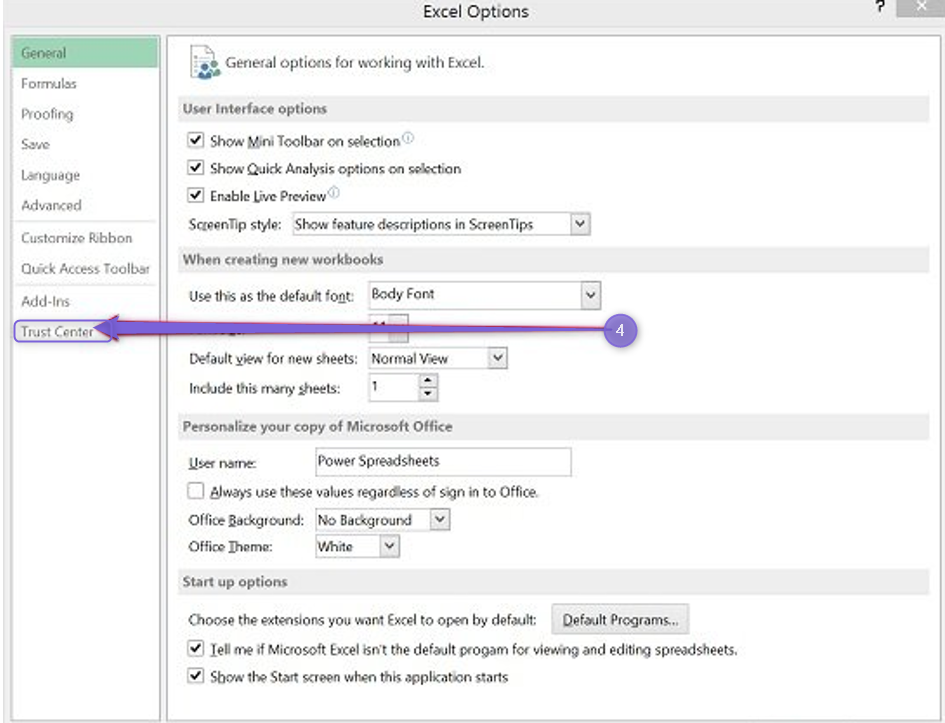
- Select Trust Center Settings
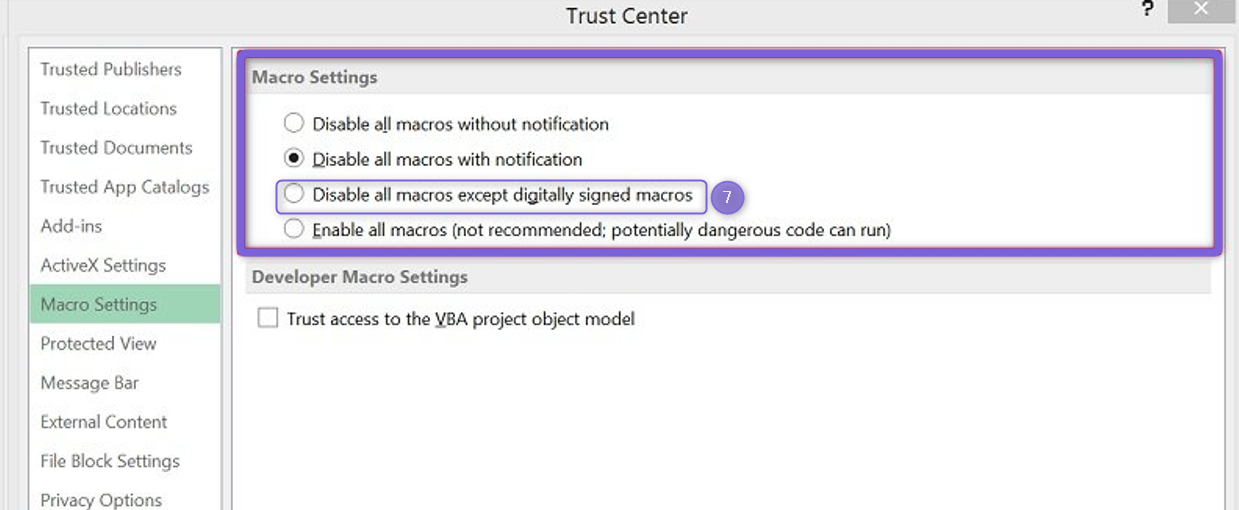
- Select Macro Settings
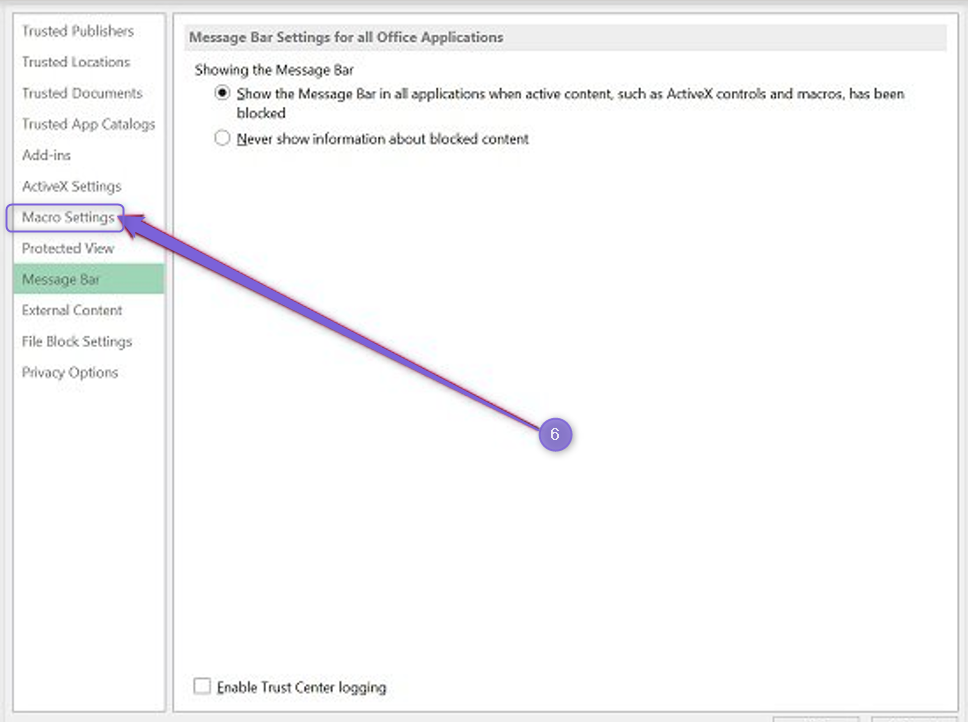
- Select Disable all macros except digitally signed